Accounting in the cloud — bookkeeping works from anywhere
Move your accounting system off the office computer onto a cloud server: bookkeepers work from home, the office and business trips, while data lives in a secure data center in Ukraine with automatic backups — not on a tower under the desk.
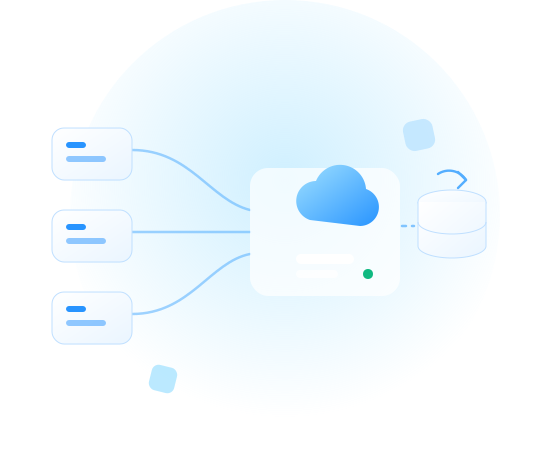


Sound familiar?
The classic pains of office bookkeeping — and how a cloud server removes them.
-
"The database is on the chief accountant's PC"
A power cut or a dead disk stops the whole ledger. In the cloud the server runs 24/7 on redundant infrastructure, and backups are automatic.
-
"The accountant is remote, the database is in the office"
Access over RDP or a web client from any location and device — home, office or a business trip.
-
"Everything lags when three people work at once"
Dedicated vCPU/RAM and NVMe disks instead of an office PC — the system doesn't slow down during period close.
-
"We have no IT person"
We run the infrastructure; on request we also take over server administration — updates, monitoring, backups.
-
"Blackouts"
A data center with backup power: your ledger doesn't depend on the lights in your office — you only need internet on a device.
Which systems you can move
A cloud server suits any accounting or ERP system that runs on Windows or Linux.
-
MASTER:Accounting, Debet Plus, ISpro and other Ukrainian systems
-
BAS: Accounting, KUP, ERP
-
Systems on MS SQL / PostgreSQL, terminal access for teams of any size
Planning to switch systems? We'll help with the infrastructure for moving to Ukrainian software. How to plan the migration
How it works
Staff connect to a single secure server, and data is copied on a schedule.
-
Staff
-
RDP · web client
-
Cloud server
-
Scheduled backups
-
We create the server
We spin up a cloud server of the required configuration on Windows Server with your accounting system and SQL.
-
We move the database
You or your integrator move the database — or we do it on agreed migration terms.
-
Staff connect
Over RDP or a web client — from Windows, macOS or a tablet, from anywhere.
Ready configurations
Starter packages by team size. Resources change anytime with no reinstall.
-
Micro
up to 3 users
vCPU / RAM: 2 vCPU / 8 GB (ocp-3)
Disk: system NVMe + data volume ($0.10/GB, 2000 IOPS)
For whom: sole traders, small accounting
≈$20.45/mo
$0.03/hr
- Popular
Standard
up to 10 users
vCPU / RAM: 4 vCPU / 16 GB (ocp-5)
Disk: system NVMe + data volume ($0.10/GB, 2000 IOPS)
For whom: retail, services
≈$40.90/mo
$0.06/hr
-
Company
15+ users
vCPU / RAM: 8 vCPU / 32 GB (ocp-7)
Disk: system NVMe + data volume ($0.10/GB, 2000 IOPS)
For whom: multiple databases, ERP
from ≈$79.87/mo
$0.11/hr
Prices are for infrastructure. A manager will send the final quote for your accounting system and number of users. The configuration can be changed anytime with no reinstall.
Security and reliability
Infrastructure-level protection for your accounting data — by default and at no extra cost.
-
Data in Ukraine
Ukrainian jurisdiction and physical location; optionally a geo-copy in the EU.
-
Backups on your schedule
Configured in the panel; snapshots before updates; plus a database copy in Object Storage ($0.039/GB/mo) in another location.
-
Free firewall
Access only from your IPs or over VPN — a ready WireGuard image from the Marketplace comes up in minutes.
-
Disk encryption
Data on storage is protected even at the physical level.
-
Dedicated resources
Your server is yours alone, with no compute neighbours.
-
ISO/IEC 27001 and DDoS protection
Certification and network-level protection across the whole platform.
Document management next to your ledger
Deploy Paperless-ngx from the Marketplace and keep source documents in the same secure contour as your accounting.
Move without stopping the ledger
We migrate the database over the weekend or at night — on Monday the accountant simply opens the program at a new address. Typical time — 1 business day. We work with your integrator if you have one.
Frequently asked questions
See all plansTake your ledger off the desk — into the cloud
Tell us your system and how many users, and we'll send a quote within a business day.
Latest publications
Everything you need to create a stable, secure and scalable environment

Mailcow vs Zimbra: Which Mail Server to Choose in 2026
Mailcow vs Zimbra for self-hosted email: an honest comparison of features, server requirements, admin complexity and cost. Both deploy in one click from the Marketplace.
How to migrate a server from Hetzner to Ukraine: step-by-step guide
Moving a VPS or dedicated server from Hetzner to a Ukrainian cloud: plan, rsync/rclone, DB replication and DNS switchover with minutes of downtime. ~1 ms ping from Kyiv.

Ukrainian cloud providers 2026: a business comparison
GigaCloud, De Novo, UCloud, OneCloudPlanet: platforms, locations, billing models and which provider fits whom. An honest comparison of the Ukrainian cloud market in 2026.

New GPUs in the cloud: NVIDIA RTX PRO 4500 and RTX PRO 6000 Blackwell
Blackwell-generation GPUs are now in the OneCloudPlanet cloud: RTX PRO 4500 (32 GB) from $0.69/hr and RTX PRO 6000 (96 GB) — 70B-class models in a single card, no multi-GPU.

Hourly Cloud VPS: How Pay-As-You-Go Billing Works (and When It Beats Monthly Plans)
Hourly VPS from $0.01/hr: the real math vs monthly plans, the snapshot-and-destroy workflow, where savings reach 76%, and how to avoid the hidden “second bill”.

Cloud on-call handover checklist for reliable 24/7 support: prevent context gaps and speed up issue resolution
A practical cloud on-call handover checklist to keep support continuity, avoid missed alerts, and resolve incidents faster across shifts.

Cloud change freeze and rollback plan for safer production releases: reduce outage risk during critical updates
A practical change freeze and rollback framework to protect production stability, keep customer services available, and recover fast if an update fails.

Cloud maintenance window planning playbook for stable service updates: reduce disruption and keep customers productive
A practical cloud maintenance window playbook to plan updates safely, reduce disruption risk, and keep customer operations predictable.
Cloud instance disaster recovery testing playbook: prove restore readiness before real outages
A practical cloud disaster recovery testing playbook to validate restore readiness, reduce recovery risk, and keep customer services available during critical disruptions.

Cloud incident response runbook for faster service recovery: reduce downtime and protect customer experience
A practical cloud incident response runbook to reduce downtime, speed up service recovery, and keep customer operations stable during disruptions.